I got tired of AI assistants that just talk back.
Ask ChatGPT to "remind me to call mom," and it explains how reminders work instead of actually setting one. Ask Claude to "check my emails and summarize what's urgent," and you get a thoughtful essay about email management.
They're great at conversation. Terrible at actually doing things.
So I built something different: an assistant that handles real work.
The Problem with Chatbots
Most AI systems follow the same pattern: you say something, they say something back. This works for Q&A but breaks down for actual tasks.
Real productivity isn't conversational. It's messy. Multi-step. Full of dependencies and edge cases.
"Check my banking emails from this week and remind me to review them at 6 PM" isn't a conversation. It's a workflow that needs planning, execution, and persistence.
How My Assistant Actually Works
I built it around three components that handle different parts of the problem:
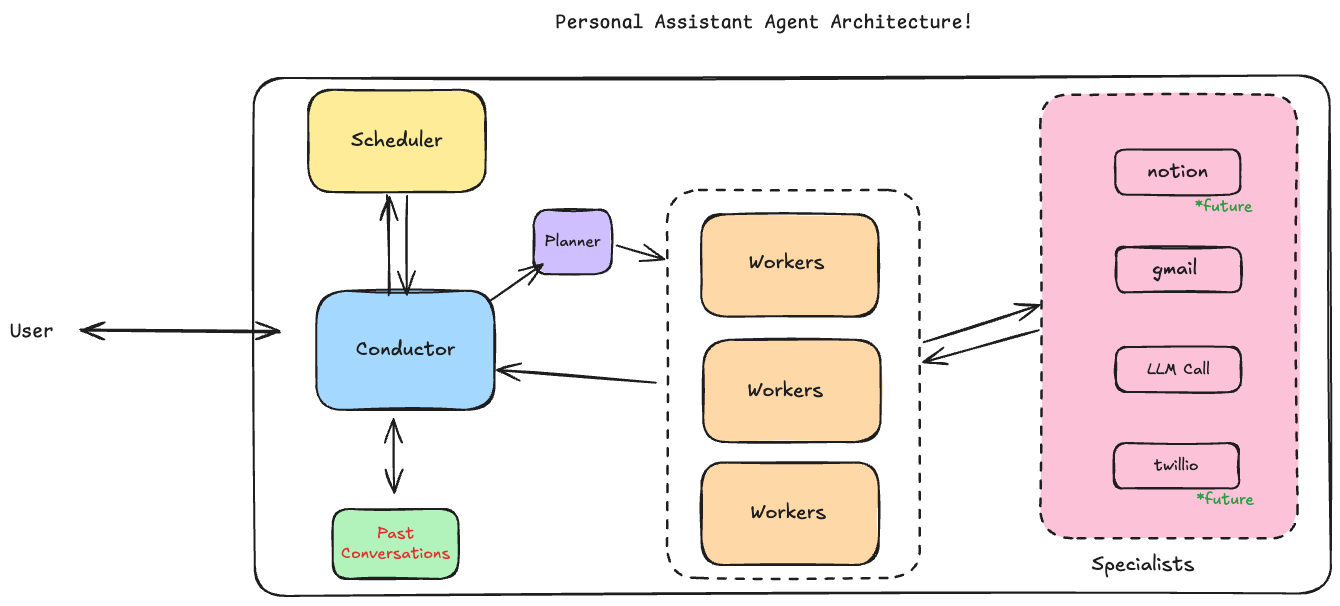
The Conductor understands what you want and figures out who should handle it. It's the interface you talk to.
The Planner breaks complex requests into executable steps. It doesn't do work, just figures out what needs to happen and in what order.
The Worker executes the plan, handles API calls, manages errors, and makes sure each step feeds into the next.
This separation is what makes complex tasks actually work.
The Assistant in Action
Let me show you how this actually works with real examples.
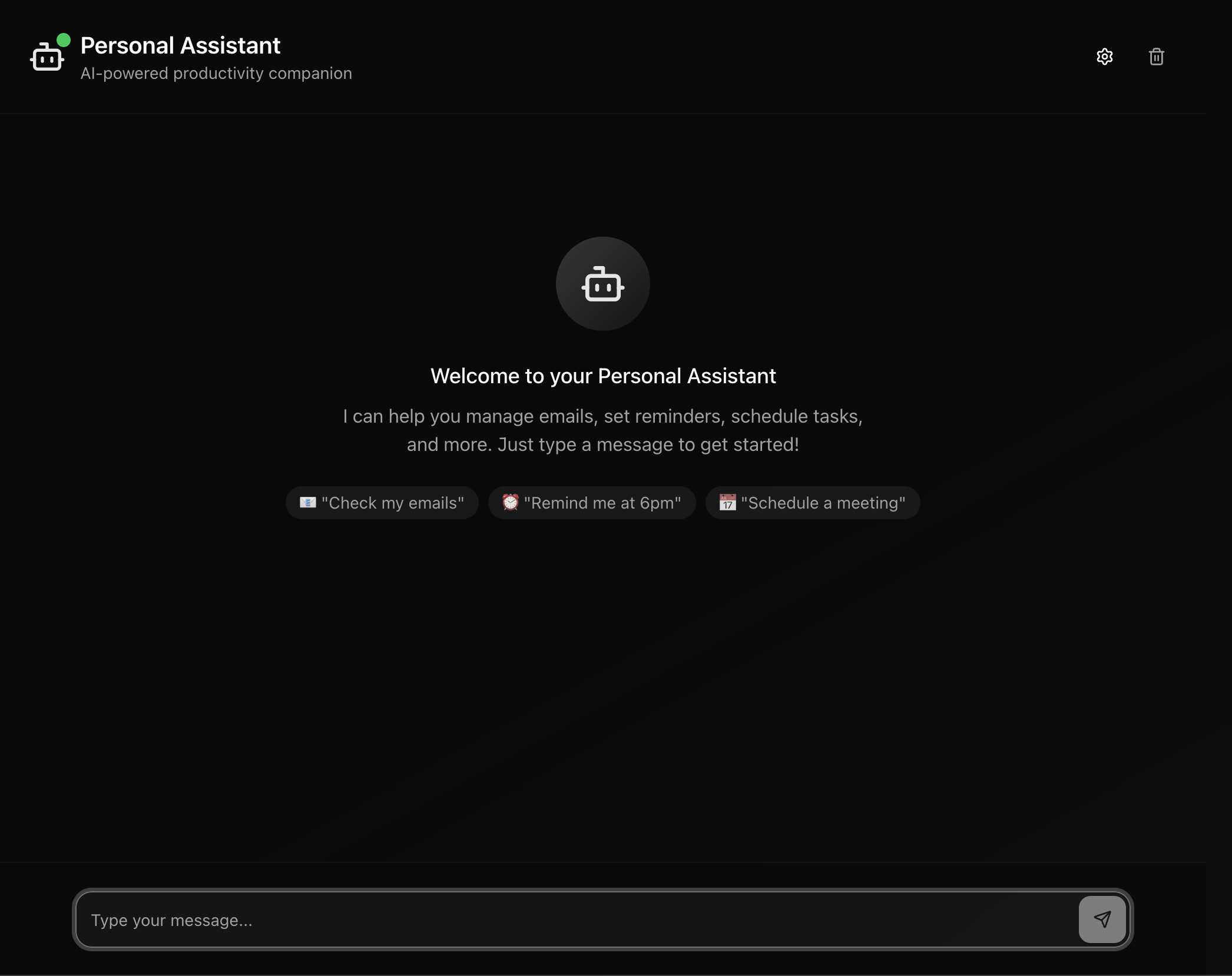
The interface is clean and conversational. But the real magic happens behind the scenes.
Example 1: Finding Who Onboarded Me at Deutsche Bank
My question: "Can you tell me who onboarded me during my Deutsche Bank job?"
This seems simple, but it's actually a complex workflow that requires searching through years of emails, identifying relevant messages, and extracting specific information.
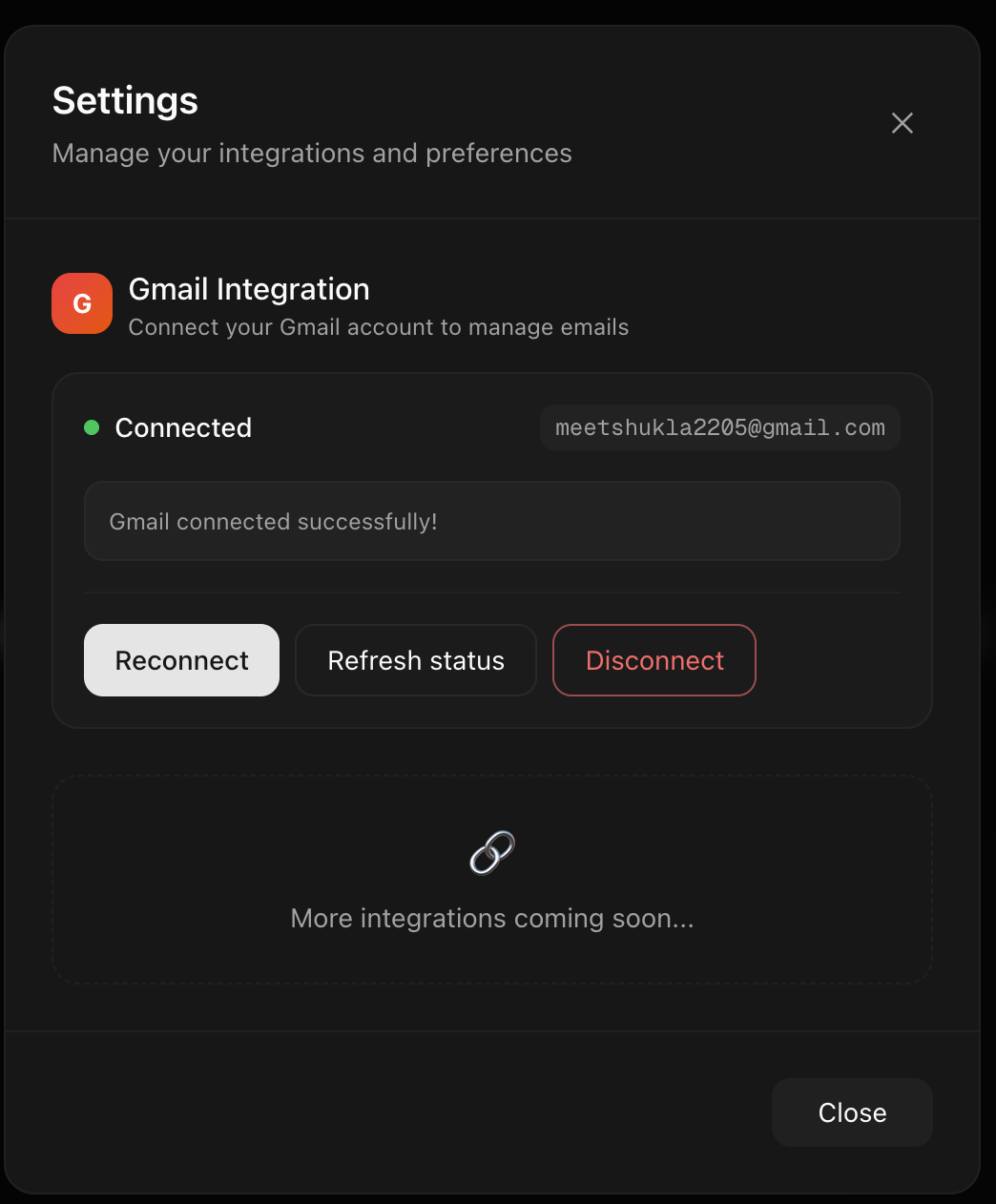
First, the assistant needs access to my Gmail. The integration is seamless: authenticate once, and it remembers.
Here's what happened behind the scenes:
Step 1: Search emails for "Deutsche Bank" and "onboarding" keywords Step 2: Filter results to find messages from the relevant time period Step 3: Extract names and roles from the matching emails
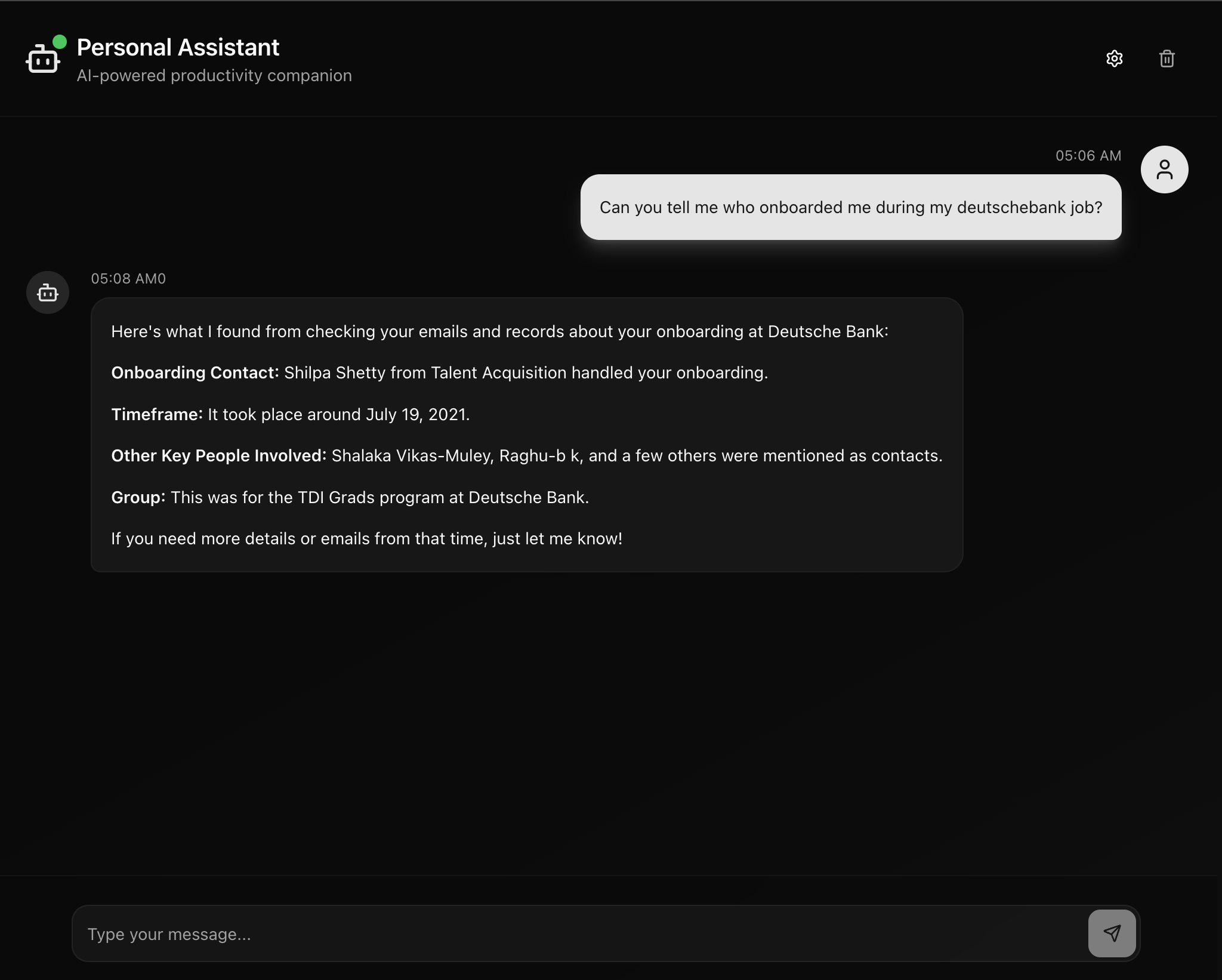
The result was clean and specific. No raw email dumps. No manual searching through thousands of messages. Just the answer I needed.
Traditional chatbot: Would explain what onboarding is or suggest I search my emails manually.
My assistant: Actually searched, found, and extracted the information in seconds.
Want to see how the planning actually works? Here's the real log from the Planner:

The Planner breaks down the request into specific, executable steps. Each step specifies the exact tool to use and the arguments to pass.
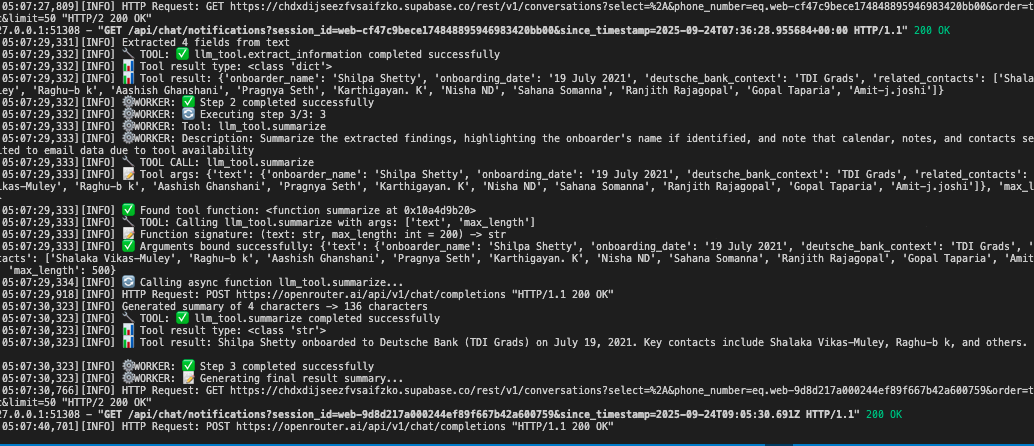
You can see the full execution flow: how the system handles errors, passes data between steps, and manages the entire workflow.
Example 2: Smart Scheduling
My request: "Schedule a task to review my project emails every Monday at 9 AM"
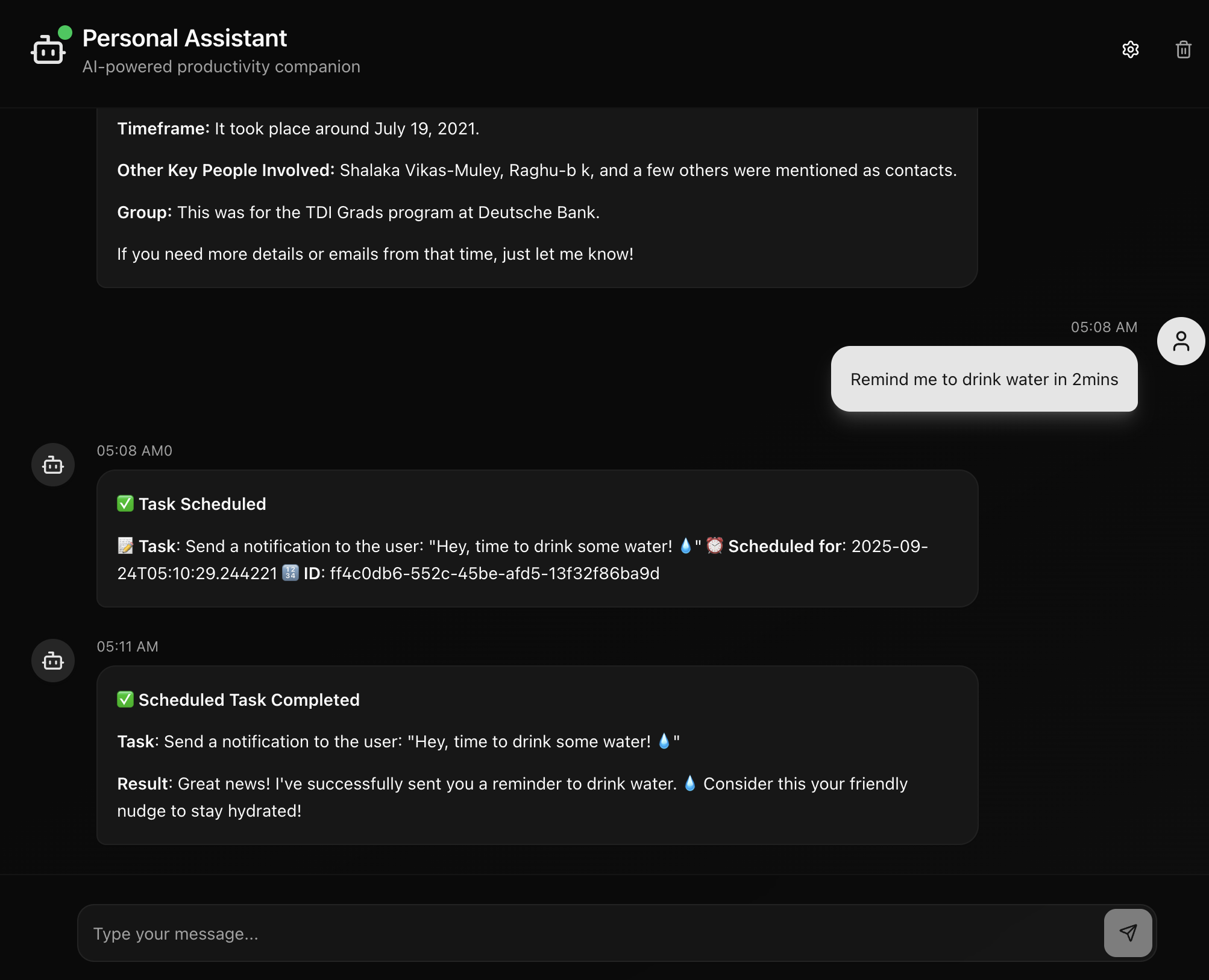
Traditional reminder apps: Set a basic notification that says "review emails."
My assistant: Creates an intelligent workflow that actually helps when it fires. When Monday comes, it doesn't just remind me. It fetches recent project emails, summarizes what's new, and presents actionable information.
This is the difference between notification and orchestration.
Why This Architecture Matters
The key insight is separation of concerns:
- Conversation happens in one place (Conductor)
- Planning happens in another (Planner)
- Execution happens in a third (Worker)
This lets each component be really good at its specific job instead of trying to juggle everything at once.
Traditional chatbots collapse all these responsibilities into one system, which is why they feel so limited.
What Makes It Useful
Gmail Integration: Not just reading emails. Intelligent search, content extraction, and context preservation across conversations.
Smart Scheduling: Understands natural language time expressions and maintains context when reminders fire.
Error Recovery: When things break (and they do), the system handles it gracefully instead of just crashing.
Persistent Memory: Remembers context across sessions. Email threads maintain state. Scheduled tasks retain their full context when they execute.
What's Next
The assistant works well, but there's room for improvement. I'm working on making the responses more human-like and genuine by cleaning up the prompts. Right now, some responses feel a bit robotic. The kind of thing you'd expect from an AI rather than a helpful colleague.
The architecture is solid. The execution is functional. But personality matters in AI assistants, and that's where the next iteration of improvements will focus.
The Bigger Picture
This represents a shift from conversational AI to task-execution AI.
Instead of systems that can answer questions, we're building systems that can actually get work done. The difference is architectural: planning before acting, persistence across time, and intelligent orchestration of complex workflows.
Get the Code
Personal Assistant AI - Complete implementation of the Planner-Worker architecture with Gmail integration, scheduling, and a modern web interface.
Most AI today feels like talking to a really smart computer. This feels more like working with a capable colleague who understands what you're trying to accomplish and figures out how to make it happen.